
See it in action
Real screens from the app — not mockups.
More Things That Make This Feel Different
Built specifically for people leaving Quicken, YNAB, or a hand-built spreadsheet — these are the everyday wins that show up the first week.
Live Bank Sync NEW
Securely connect your bank once and new transactions import themselves — no more weekly CSV downloads. Pick your own sync date range, preview before you confirm, and smart duplicate protection means nothing ever gets logged twice. Read-only, revocable anytime. Lite includes 1 account total, Pro up to 6 — included free, powered by Plaid.
Sales Tax Center NEW
One-tap opt-in with 8 state presets (WA · TX · FL · NV · TN · SD · WY · AK). A dedicated Sales Tax dashboard sums every dollar of sales tax you paid this year. Monthly totals, vendor rollups, and a print-ready Schedule A worksheet — feed IRS Schedule A without a shoebox of receipts. Includes a bulk back-fill tool for existing CSV history.
Vendor Manager NEW
One tidy screen listing every vendor in your ledger. Rename “SQ *STARBUCKS #4482” to just “Starbucks” and every expense updates in a single tap. Merge duplicates. Delete typos. Auto-create Vendor Rules so future imports stay clean.
Category Report by Account NEW
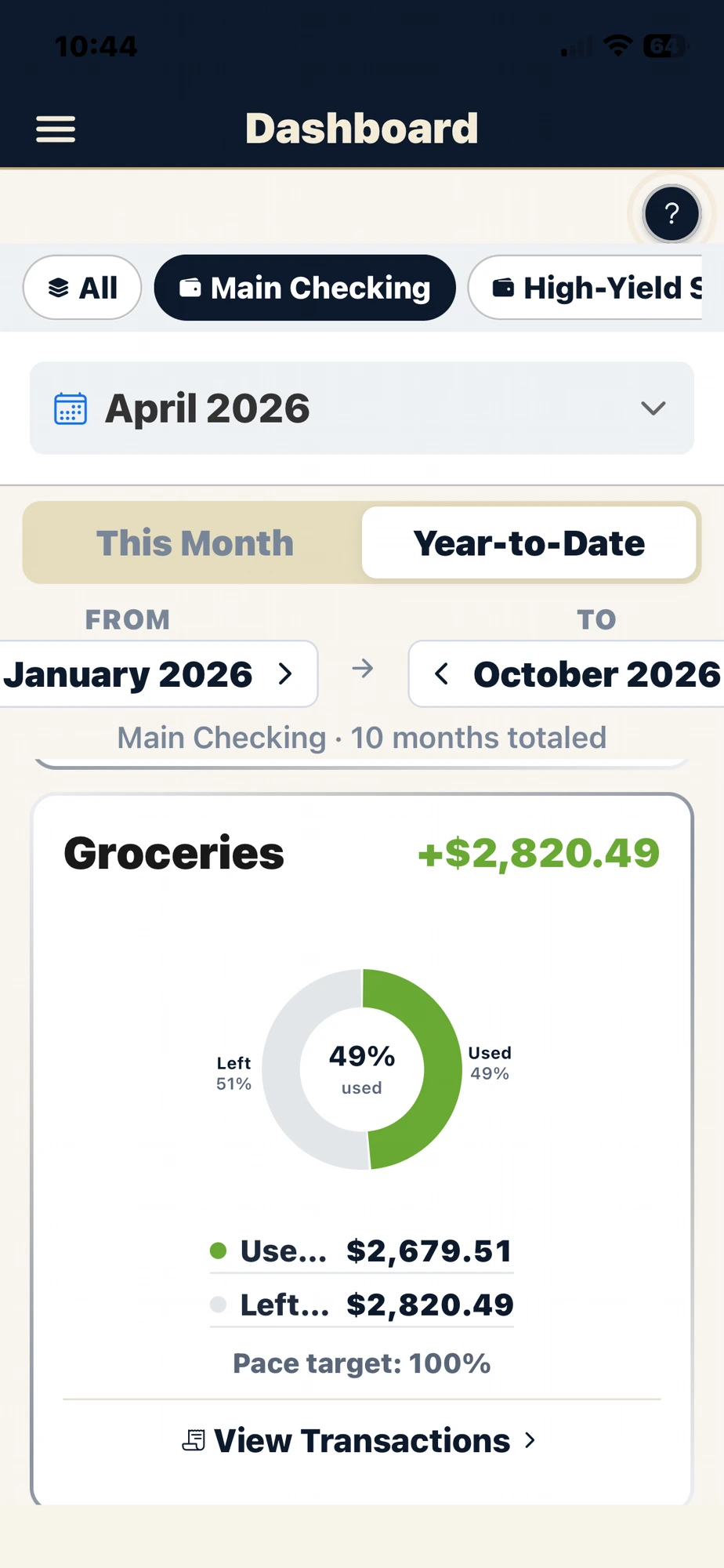
Pick any category (or ten), pick any accounts, pick any date range — get a clean, printable breakdown of exactly how much hit each bucket. Perfect for “how much did we really spend on groceries this year?” questions.
AI Receipt Scanner PRO
Snap a photo of any receipt. The vendor, date, amount, and category fill themselves in — no typing. Every scan is saved to your private gallery for warranty and tax-time documentation.
Recurring Transactions
Rent, Spotify, the gym, that streaming service you forgot about — set them up once. They appear every month automatically. Edit anytime; the change rolls forward, never backward.
Bulk Reserve Sweep
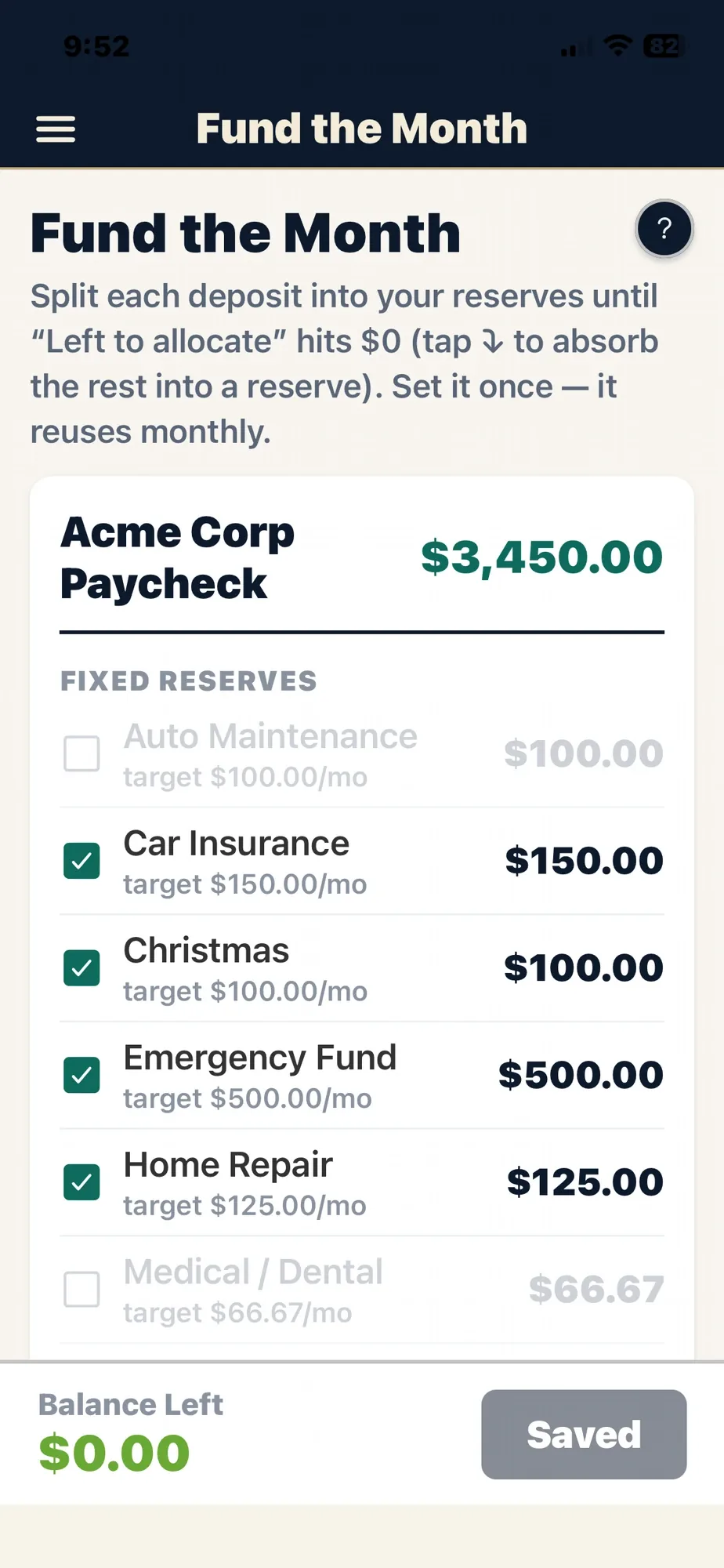
Got paid? Split that deposit across every reserve at once — taxes, Christmas, vacation, insurance. Watch the source balance update live. One tap to undo the whole thing.
Smart CSV Import
Importing the wrong CSV into the wrong account is a nightmare to undo. Our import scans the file before you confirm and warns you if the transactions look like they belong to a different account.
Account Quick-Switch
Multiple accounts? Jump between them with a tap from the dashboard. Each one keeps its own categories, expenses, and reserves — but you stay in your flow.
Peace of Mind, by Design
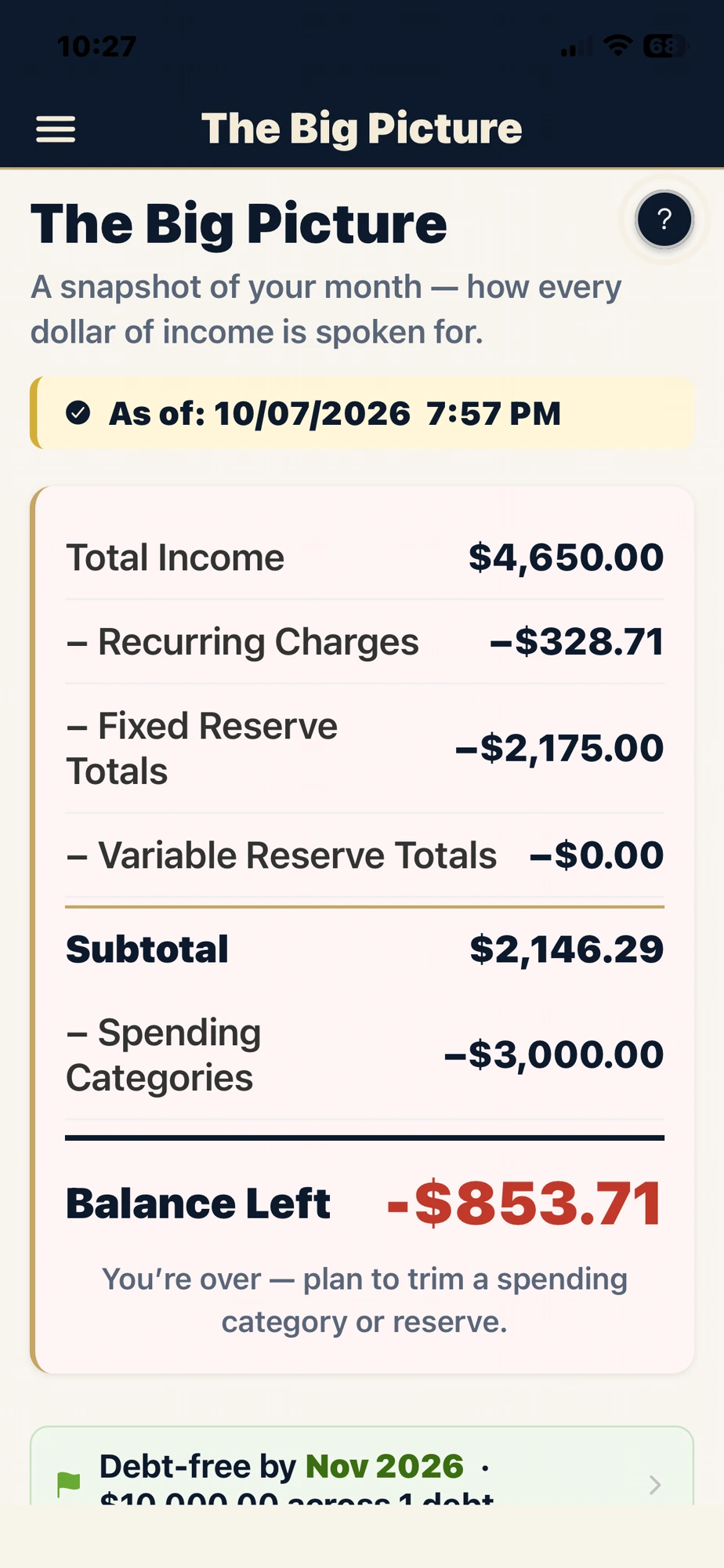
The big bills are set aside before they ever hit — taxes, insurance, Christmas, the car repair you knew was coming. No scramble, no overdraft, no money panic. Just the quiet confidence of knowing what’s covered and what’s truly left to spend.
Built for Couples
Get on the same page — literally. You and your partner see the same plan, the same reserves, the same numbers. No more “who spent what,” no more surprises. Money becomes a shared plan you present together, not an argument. Sandi and I built it that way on purpose.
Ready to Go Beyond the Monthly Budget?
Lite handles day-to-day budgeting beautifully. Pro adds the long-range tools for debt, net worth, and the years ahead.
Debt Payoff Planner
List every debt, pick snowball or avalanche, and see your exact debt-free date — plus how much interest you save by paying it down faster.
Investment & Net Worth Tracking
Connect a brokerage to update your investment and retirement balances automatically — or enter them yourself — and watch every account, asset, and debt combine into one net-worth number, tracked over time with projections for how long your savings will last.
The Long View
One long-range plan tying your whole financial picture together — income, debt, savings, and goals, years into the future.
Cashflow Forecast
A day-by-day projection of your checking balance, so you can see a shortfall coming weeks before it happens — not after.
The System That’s Always Worked
The bones of the original Guidebook — translated to your phone, your way.
Monthly planning
A fresh budget every month. Roll the previous month forward, copy a template, or start clean — your call.
Unlimited categories
Groceries, fuel, dog food, giving — organize exactly how you actually spend, not how an app thinks you should.
Reserves & envelopes
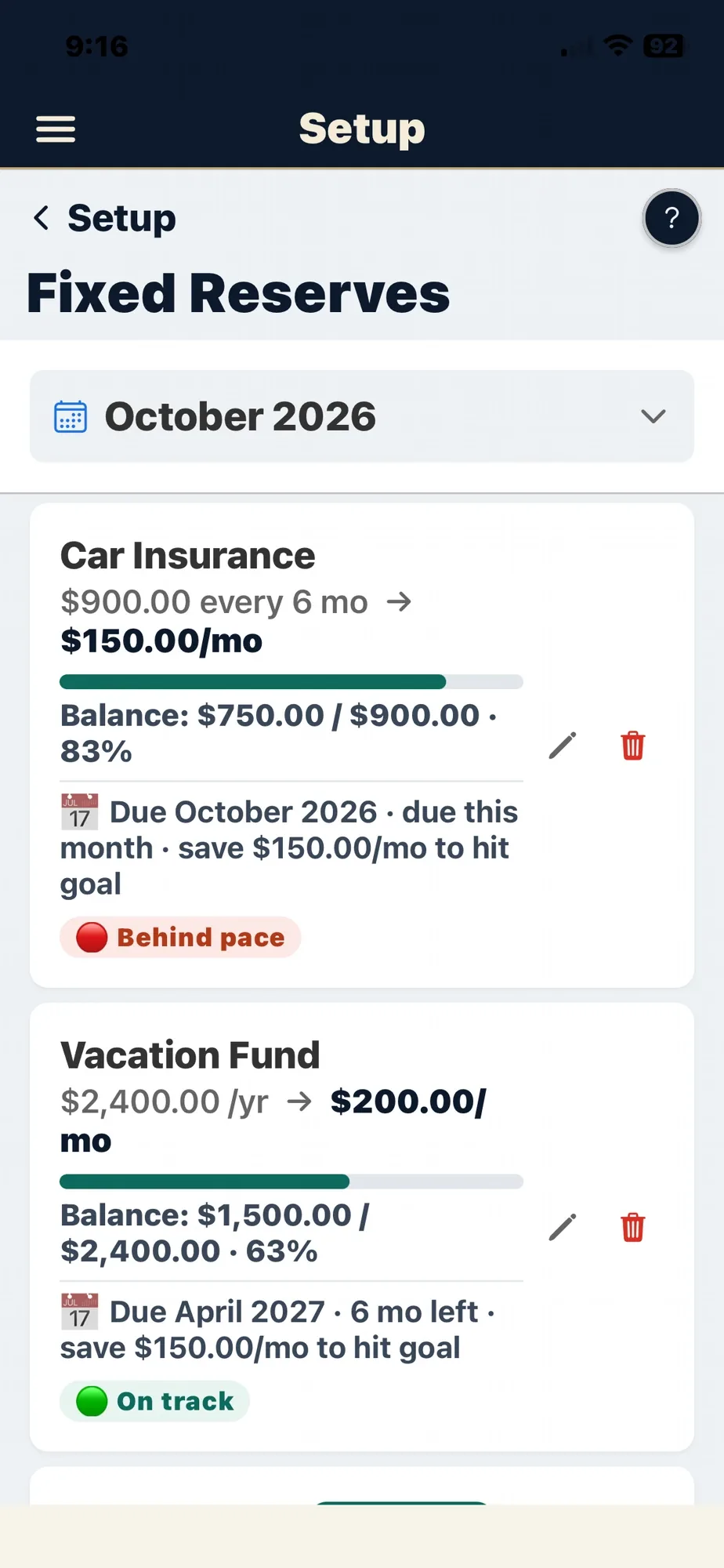
Money set aside for taxes, insurance, Christmas, vacation — treated like real money, not just a label. Watch them grow with each contribution.
Multi-account ledger
Checking, savings, credit cards, cash — Lite includes 1 account total, Pro includes up to 6 (manual or live-synced, your choice).
CSV bank import
Export from your bank, drag the CSV in, categorize with one click. Free, forever — no live connection required.
Automatic Bank Sync — Optional
Connect your bank once and let it bring in your transactions automatically — pick your own sync date range, review before confirming. Included free with your plan, powered by our secure sync partner, Plaid. Prefer CSV import instead? It’s always free, too.
Monthly dashboard & reports
A color-coded monthly dashboard and printable summaries — plain English, not accountant-speak. (Multi-year cash flow forecasting is part of Pro.)
Print Center
Tax season, an attorney, a financial advisor — print or email any month, any year, with two taps. Your records on your terms.
Built-in manual
Every screen has a help button. The whole user manual is one tap away — no Googling, no support tickets to learn the basics.
Trust, Built In
However you use it, your data and your privacy are always yours.
Your bank login, never ours
CSV import or optional automatic bank sync — either way, we never see or store your bank password. Sync uses a secure, read-only, revocable connection, not a login, and you can disconnect anytime.
Daily auto-backups
Your data is backed up daily and kept for 30 days. Export the whole thing as JSON anytime. Walk away whenever you want with everything.
One person, one subscription
Each subscription covers one person — your account, your privacy. Family members who want their own finances need their own login. We don’t share or aggregate.
See it in action.
A quick walkthrough of every screen, before you decide.